Usage
1. Set Up Subscription Plans
Creating A Subscription Plan
You can use the admin
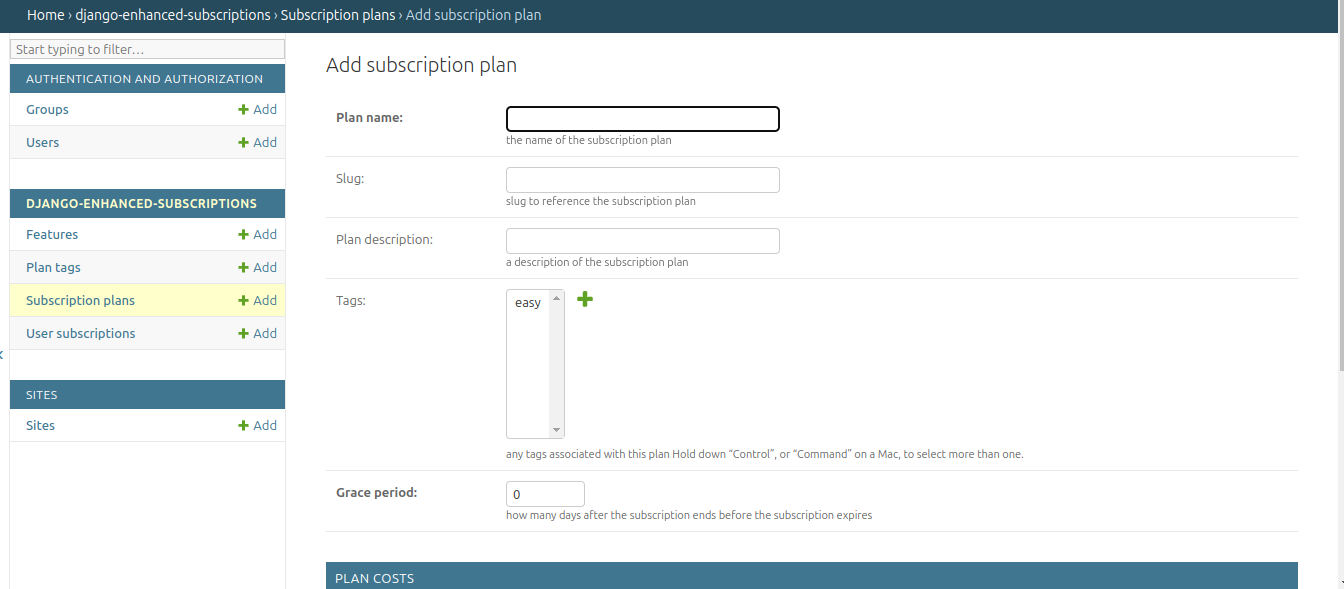
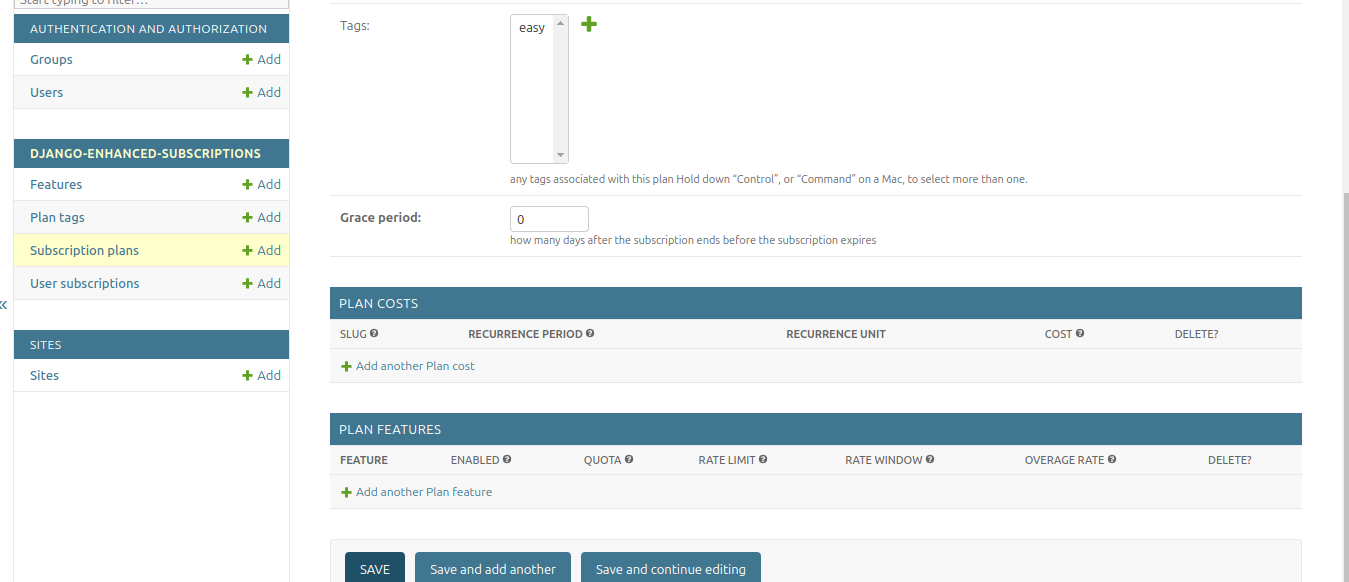
Or via code
from subscription.models.plan import SubscriptionPlan, PlanCost, MONTH

# Create a subscription plan
plan = SubscriptionPlan.objects.create(
    plan_name="Basic Plan",
    is_feature_based=True,
    grace_period=7  # 7 days grace period
)

# Add pricing to the plan
PlanCost.objects.create(
    plan=plan,
    recurrence_period=1,
    recurrence_unit=MONTH,
    cost=Decimal("10.00")
)
Subscribing A User
from subscription.models.plan import UserSubscription
from django.utils import timezone

user_subscription = UserSubscription.objects.create(
    user=user,
    subscription=plan_cost,
    date_billing_start=timezone.now(),
    date_billing_next=timezone.now() + timezone.timedelta(days=30)
)
2. Setup A User A Wallet
Summary
Manage a user wallet for managing subscription payments, refunds and credits
Records all wallet transactions including subscription payments, cancellation and refunds
After setting up plans and subscriptions, the next steps involve funding the user’s wallet and managing subscriptions using the PlanManager. Here’s a detailed guide on these processes:
Depositing Funds Into The Wallet
Before a user can pay for subscriptions, they need to have funds in their wallet. Here’s how to handle wallet deposits:
from subscription.models.wallet import Wallet
from decimal import Decimal

# Assuming you have a user object
user_wallet, created = Wallet.objects.get_or_create(user=user)

# Deposit funds into the wallet
deposit_amount = Decimal("100.00")
transaction = user_wallet.deposit(deposit_amount, "Initial deposit")

print(f"New balance: {user_wallet.balance}")
It’s important to ensure that users have sufficient funds in their wallet to cover their subscription costs.
Handling Refunds
refund = wallet.process_refund(
    payment_transaction,
    amount=Decimal("5.00"),
    reason=RefundReason.CUSTOMER_REQUEST,
    description="Partial refund"
)
3. Add Features To A Subscription Plan
Summary
Define feature that can be included in subscription plans
Associates features with subscription plans and define limits
Define pricing tiers for features with tiered pricing
Tracks usage of features by subscribed users
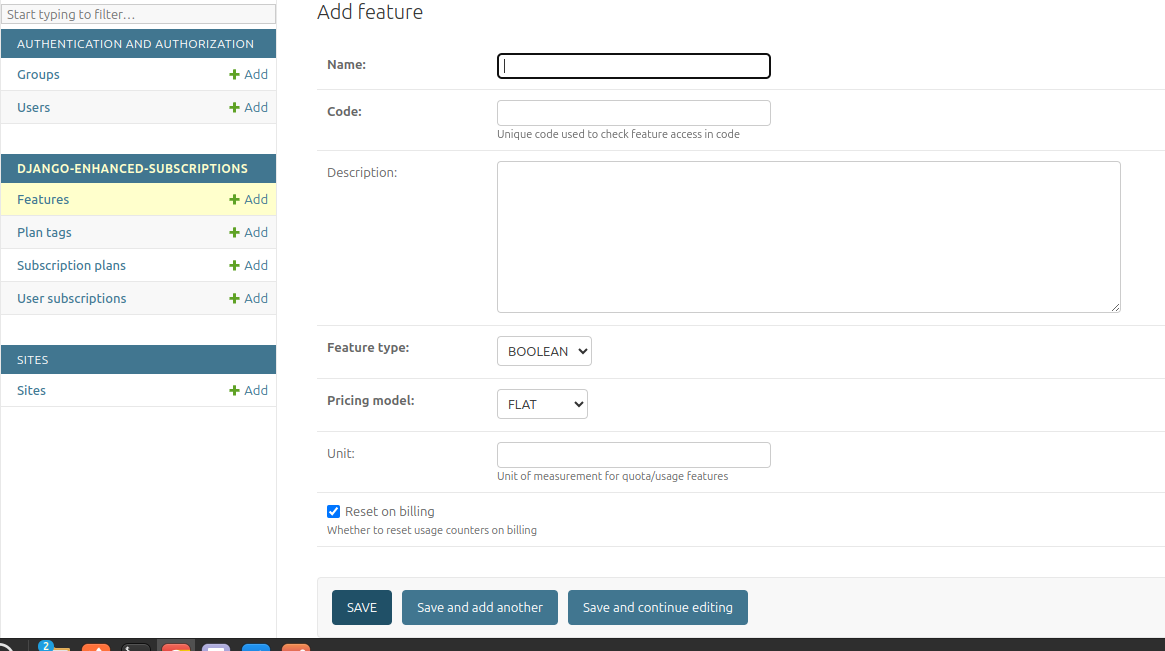
Creating A Feature
from subscription.models.feature import Feature, FeatureType, PricingModel

feature = Feature.objects.create(
    name="API Calls",
    code="api_calls",
    feature_type=FeatureType.USAGE.value,
    pricing_model=PricingModel.FLAT.value,
    unit="calls"
)
Adding A Feature To A Plan
Add via admin
OR
from subscription.models.feature import PlanFeature

plan_feature = PlanFeature.objects.create(
    plan=subscription_plan,
    feature=feature,
    enabled=True,
    quota=1000,
    overage_rate=Decimal("0.01")
)
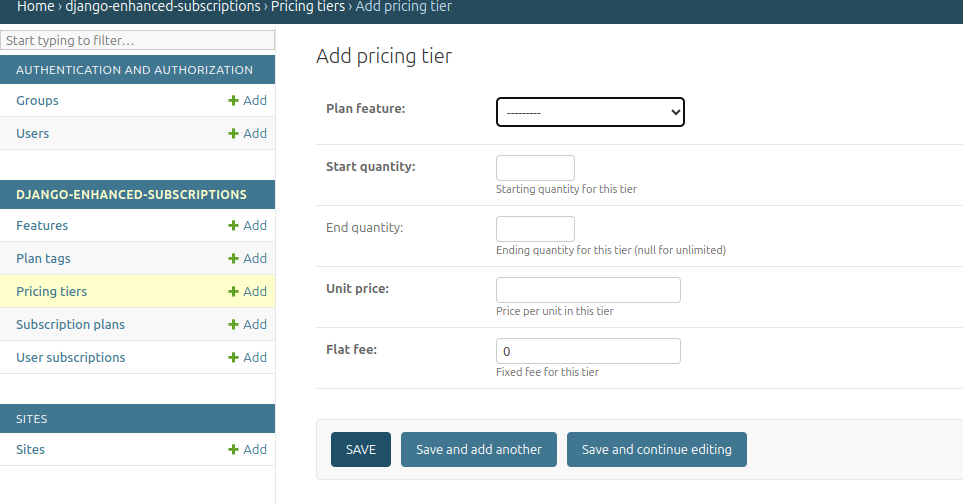
Adding Pricing Tiers
Add via admin
OR
from subscription.models.feature import PricingTier

plan_feature1 = PricingTier.objects.create(
    plan_feature=plan_feature,
    start_quantity=0,
    end_quantity=10,
    unit_price=20
)
plan_feature2 = PricingTier.objects.create(
    plan_feature=plan_feature,
    start_quantity=10,
    end_quantity=20,
    unit_price=30
)
4. Feature Access Control
Summary
Supported approaches to limit access based on features include:
View decoration to constrain Function-based views
Class-Based View mixin to constrain individual views.
Service layer approach
Class Based Mixin
from subscription.feature import FeatureRequiredMixin

class AnalyticsView(FeatureRequiredMixin, TemplateView):
   template_name = 'analytics.html'
   required_features = {'advanced_analytics'}

class ExportView(FeatureRequiredMixin, View):
   required_features = {'export_data', 'api_access'}
View Decoratoration
from subscription.feature import requires_feature
from django.http import HttpResponse

@requires_feature("api_calls")
def api_view(request):
    return HttpResponse("API access granted")

@requires_feature('advanced_analytics')
 def get(self, request):
     ...

 @requires_feature('more_videos')
 def post(self, request):
Service Layer Approach
from subscription.feature import FeatureChecker

checker = FeatureChecker(user_subscription)
access = checker.can_access("api_calls")

if access.allowed:
    # Proceed with feature access
else:
    print(access.error)  # "Quota exceeded" or "Feature not available"
5. Usage-Based Billing
from subscription.feature import UsageBasedBilling

billing = UsageBasedBilling()
charges = billing.calculate_charges(user_subscription, "api_calls", 150)

print(charges["total"])  # Total charge for the usage
6. Subscription Management
Summary
Activate new subscriptions
Renew due subscriptions
Handle expired subscriptions
Managing Subscriptions With PlanManager
The PlanManager is responsible for handling new, due and expired subscriptions. Here’s how to use it:
from subscription.manager import PlanManager

plan_manager = PlanManager()

# Process all subscriptions (new, due, and expired)
plan_manager.process_subscriptions()
This method will:
Activate new subscriptions
Renew due subscriptions
Handle expired subscriptions
Activating New Subscriptions
For new subscriptions:
new_subscription = UserSubscription.objects.get(id=subscription_id)
plan_manager.process_new(new_subscription)
This will:
Attempt to charge the user’s wallet for the subscription cost
If successful, activate the subscription and set the next billing date
If unsuccessful (e.g., insufficient funds), the subscription remains inactive
Renewing Due Subscriptions
For subscriptions that are due for renewal:
due_subscription = UserSubscription.objects.get(id=due_subscription_id)
plan_manager.process_due(due_subscription)
This will:
Attempt to charge the user’s wallet for the renewal cost
If successful, update the next billing date
If unsuccessful, it will handle the failed renewal based on the grace period settings
Handling Expired Subscriptions
For subscriptions that have expired:
expired_subscription = UserSubscription.objects.get(id=expired_subscription_id)
plan_manager.process_expired(expired_subscription)
This will:
Deactivate the subscription
Handle any necessary clean-up (e.g., resetting feature usage)
Automatic Subscription Processing
In a production environment, you’ll want to automatically process subscriptions regularly. This can be achieved using a scheduled task or a management command:
from django.core.management.base import BaseCommand
from subscription.manager import PlanManager

class Command(BaseCommand):
    help = 'Process all subscriptions'

    def handle(self, *args, **options):
        plan_manager = PlanManager()
        plan_manager.process_subscriptions()
        self.stdout.write(self.style.SUCCESS('Successfully processed subscriptions'))
You can then set up a cron job or use a task scheduler like Celery to run this command regularly (e.g., daily).
Handling Failed Payments
The PlanManager includes logic to handle failed payments:
If a payment fails and the plan has a grace period, the subscription remains active until the grace period expires.
During the grace period, the system will attempt to process the payment again on subsequent runs of process_subscriptions().
If the grace period expires without a successful payment, the subscription will be marked as expired and deactivated.
# The grace period is defined on the SubscriptionPlan model
grace_period_days = subscription.subscription.plan.grace_period

# PlanManager uses this when handling failed renewals
plan_manager._handle_failed_renewal(subscription)
Cancelling A Subscription
from subscription.models.wallet import Wallet
from decimal import Decimal

# Assuming you have a user object
user_wallet, created = Wallet.objects.get_or_create(user=user)

refund = wallet.process_subscription_cancellation(user_subscription, prorate=True)
Important Notes
The library supports different feature types: Boolean, Quota, Rate-limited, and Usage-based.
Pricing models include Flat rate, Tiered, Volume-based, and Package-based billing.
The PlanManager handles subscription renewals, feature usage resets, and billing.
The library includes a caching mechanism for optimized feature access checks.
Wallet transactions are recorded for deposits, payments, and refunds.
Grace periods can be set for subscriptions to handle failed payments.